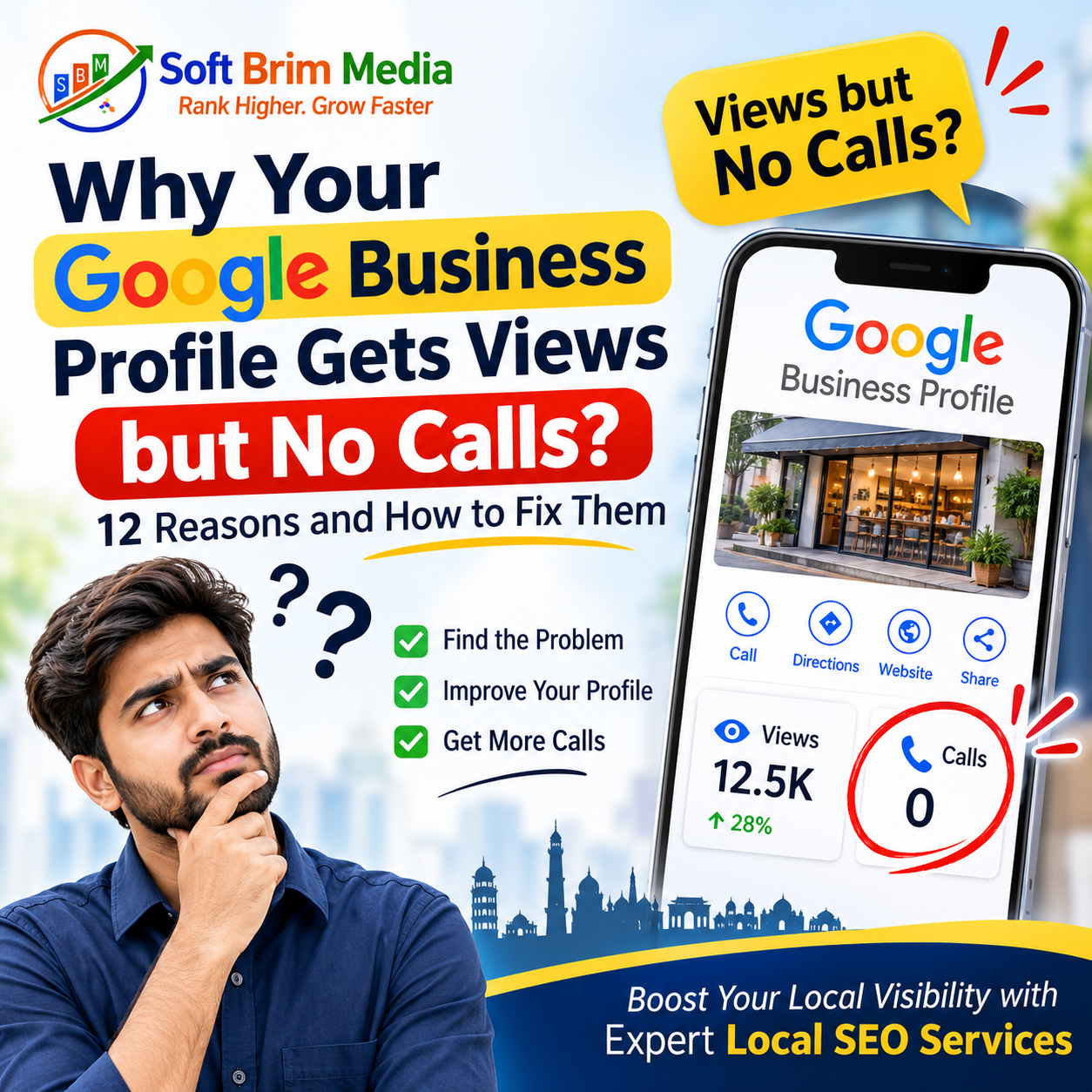
You open your Google Business Profile dashboard on a Monday morning and see encouraging numbers: 1,800 views over the past twenty-eight days. Your business is appearing in local search results and people are seeing your pin on Google Maps. Yet, when you look at your call logs, the phone has barely rung all week.
This is one of the most common frustrations faced by local business owners across India. Whether you run a dental clinic in Indiranagar, a boutique accounting firm in Noida, an interior design studio in Pune, or an independent retail outlet in Ahmedabad, high profile views paired with zero incoming inquiries creates genuine confusion.
Profile views do not automatically translate into phone calls. Visibility simply means your business appeared on someone’s screen while they were browsing or searching. Engagement means they paused, read your listing, or scrolled through your photos. Inquiries happen only when that prospect finds enough clarity, relevance, and trust to tap the “Call” button.
Turning profile views into real customer inquiries requires diagnosing exactly where the friction lies between discovery and conversion.
What Does It Mean When Your Google Business Profile Gets Views but No Calls?
Understanding Google Business Profile insights requires separating passive exposure from active commercial intent.
Discovery (Impression / View)
   └── Consideration (Clicks, Photos, Reviews, Services)
          └── Decision (Call, Directions, Website Visit, Message)
What Profile Views Actually Measure
A view or impression occurs whenever your listing surfaces on a user’s screen. If someone searches for a broad term like “hardware shop near me” and scrolls past your listing on their smartphone, Google counts that as a view. It does not mean the user studied your services or considered hiring you; it simply means your profile occupied visual real estate on their device.
Google Search vs. Google Maps Visibility
Prospects discover local businesses through two distinct surfaces:
Google Search (The Local 3-Pack): When a user enters a query into Google Search, the search engine displays a map snippet with three prominent local listings above the organic web results. Searchers here are often looking for quick answers, immediate contact numbers, or broad comparisons.
Google Maps App and Web: Users browsing within Google Maps frequently have immediate physical intent. They zoom into specific neighborhoods, compare proximity, look for parking attributes, check operating hours, or plan driving routes.
Interactions vs. Impressions
Within your profile performance metrics, Google tracks multiple independent actions:
Website clicks: Users who want to research your portfolio, pricing, or credentials further.
Direction requests: Shoppers or clients planning an in-person visit.
Direct calls: High-intent leads needing immediate service, booking an appointment, or checking product availability.
Bookings and messages: Users preferring digital-first scheduling or text interaction.
If your profile generates impressions but lacks actions, your local visibility is functioning, but your profile fails the evaluation phase.
12 Reasons Your Profile Gets Views but No Calls (and How to Fix Them)
Reason 1: Your Business Shows for the Wrong Search Queries
Google’s local algorithm attempts to match user queries with the categories, attributes, and text associated with your profile. If your primary category or profile details are poorly defined, you will accumulate impressions from users who have zero interest in what you sell.
The Reality: A residential pest control company in Jaipur selects “Cleaning Services” as its secondary category. When homeowners search for “sofa shampooing” or “maid services,” the company’s profile surfaces in the local pack. Searchers see the listing, realize the company specializes in termite and cockroach eradication rather than domestic cleaning, and immediately scroll away. The impression is recorded, but no call will ever occur.
How to Fix It:
Open your profile performance tab and review the “Searches” breakdown to see the exact search terms triggering your listing.
Align your primary category strictly with your core, revenue-generating service (e.g., choose “Pest Control Service,” not a general service category).
Remove secondary categories that do not directly reflect services you handle every week.
Add clear service entries that specify what you do and do not provide.
Reason 2: Your Business Description Is Generic and Unconvincing
The 750-character business description is prime real estate to demonstrate expertise, establish location context, and state your unique value proposition. Many business owners treat this space as an afterthought, stuffing it with keywords or writing vague slogans like “We are the leading provider of quality solutions with customer satisfaction.”
The Reality: A commercial lawyer’s description reads: “We are an experienced law firm dedicated to excellence, trust, and client satisfaction in corporate matters.” It does not explain what types of companies they represent, whether they handle contract disputes or trademark filings, or what their consultation process looks like. A business owner facing a vendor dispute will pass this profile by in favor of an attorney whose description explicitly mentions contract litigation for small and medium-sized enterprises.
How to Fix It:
Structure your description using simple, authoritative prose:
Sentence 1–2: Who you are, your primary specialty, and the exact city or region you serve.
Sentence 3–4: Concrete details about your experience, certifications, or types of clients served.
Sentence 5: A direct, low-friction call to action.
Eliminate corporate buzzwords. Replace “cutting-edge solutions” with specific deliverables like “commercial HVAC maintenance,” “dental implants,” or “GST filing.”
Reason 3: Your Phone Number Is Broken, Misconfigured, or Unmonitored
A surprising percentage of lost leads stem from simple technical and operational oversights. A phone number entered with an incorrect STD code, an expired secondary SIM, or a call-forwarding error produces immediate drop-offs that never register as successful conversations.
The Reality: An appliance repair service in Hyderabad lists a landline number on their Google profile. However, technicians are out in the field all day, and nobody sits at the office desk between 11:00 AM and 4:00 PM. Prospects click the “Call” button, let it ring five times with no response, hang up, and immediately call the second business on the map.
How to Fix It:
Open your listing from an incognito mobile browser, tap the call button, and verify that the call connects directly to an active handset.
If your business operates primarily via mobile, ensure your primary phone number includes the proper country code format (
+91).If you cannot answer calls live throughout the day, deploy a dedicated virtual receptionist or an interactive voice response (IVR) setup that logs missed calls and instantly routes alerts to your team.
Reason 4: Too Few Reviews, Stale Ratings, or Ignored Feedback
Consumer confidence in local search rests heavily on social proof. Having a 5.0-star rating based on only three reviews from six months ago looks suspicious to modern consumers. Similarly, having fifty reviews but leaving every client comment unanswered signals that the business is disengaged or inactive.
The Reality: A consumer searching for a pediatric clinic compares two nearby listings:
Clinic A: 4.9 stars with 12 reviews; the last review was posted fourteen months ago.
Clinic B: 4.7 stars with 184 reviews; the doctor responded to a parent’s question three days ago.
Clinic B wins the call nearly every time, because active, recent reviews confirm the practice is operating, reputable, and attentive.
Weak Social Proof (Views Drop Here)
[ 4.9 Stars (6 Reviews) • Last review: 2 years ago • 0 Owner Responses ]

Strong Social Proof (Calls Generated Here)
[ 4.7 Stars (140 Reviews) • Updated weekly • Professional Owner Replies ]
How to Fix It:
Implement a consistent, authentic review acquisition workflow. Send a direct Google review link to clients immediately upon successful service completion.
Never purchase fake reviews. Google’s spam filters regularly wipe artificial reviews and can flag or suspend your profile. Savvy customers can also spot generic, repetitive positive comments easily.
Respond to every review—positive and negative—within 48 hours. When handling a negative review, acknowledge the issue calmly, avoid defensive arguments, and offer an offline contact avenue to resolve the dispute.
Reason 5: Incomplete Profile Information and Missing Attributes
When customers evaluate local businesses on a smartphone, they look for specific operational details before dialing. If your profile leaves basic logistical questions unanswered, users will bounce back to the map results to find a competitor who provides that information upfront.
The Reality: A family searches for a casual dining restaurant on a Sunday afternoon. They find a listing with appetizing food photos, but the profile does not state whether dine-in is open, does not list operating hours for Sunday lunch, and omits parking availability. Rather than calling to ask basic operational questions, they choose a nearby restaurant whose profile explicitly states “Dine-in,” “Valet parking available,” and confirms open hours.
How to Fix It: Audit every section of your Google Business Profile dashboard:
Operating Hours: Keep regular hours exact, and update holiday hours well in advance.
Services Menu: List individual service items with starting prices or clear descriptions.
Attributes: Check all applicable attributes (e.g., wheelchair-accessible seating, Wi-Fi, credit card acceptance, appointment required).
Website URL: Ensure the link routes directly to a relevant, fast-loading landing page, not a broken or outdated home page.
Reason 6: Competitors Simply Look More Established and Trustworthy
Local search is an open, side-by-side comparison marketplace. When a user looks at the local 3-pack, your profile does not exist in a vacuum; it sits directly against two direct competitors. If their listings display clearer pricing, professional imagery, higher review volume, and Google Guaranteed or verification badges, your profile will absorb passive views while the competitor captures the call.
| Profile Feature | Weak Local Profile | Competitive Local Profile |
| Primary Category | Broad / Generic | Precise to Core Service |
| Review Velocity | Inactive for months | Consistent weekly authentic reviews |
| Photos | Blurry stock photos | Real exterior, interior, team, and work samples |
| Services Section | Empty / Unspecified | Detailed service items with descriptions |
| Q&A Section | Empty or spam-filled | Pre-populated with common customer questions |
How to Fix It:
Perform an honest competitor audit. Search your top three commercial keywords from your target city or neighborhood.
Note what the top-ranking profiles display: How many photos do they have? How often do they upload posts? How detailed are their service lists?
Upgrade your profile to meet and exceed their baseline standard by adding authentic behind-the-scenes photography, publishing detailed pricing structures, and maintaining active updates.
Reason 7: Low-Quality, Outdated, or Irrelevant Visual Assets
Visual presentation drives local conversion. Profiles populated with generic stock imagery, dark interior shots, or pictures of empty desks fail to communicate credibility. Modern customers rely on photos to assess hygiene, professional scale, authenticity, and physical legitimacy.
The Reality: An automobile detailing workshop uploads three low-resolution photos taken inside a dark garage with poor lighting. Next door, a competing detailing studio regularly uploads crisp, well-lit photos showing high-end cars receiving ceramic coatings, a clean customer lounge, and their branded technician uniforms. Customers spending serious money on their vehicles will not call the first workshop because the visual evidence does not inspire confidence.
How to Fix It:
Remove generic stock photos, watermarked graphics, and repetitive promotional banners.
Upload genuine, high-resolution photography covering four areas:
Exterior: Clear shots of your storefront, building facade, entrance, and parking area to aid physical navigation.
Interior: Clean, welcoming images of your reception desk, consultation rooms, or sales floor.
Team: Professional photos of your staff in uniform or actively working.
Work Output: Before-and-after results, completed projects, menu items, or product displays.
Add short, 15-to-30-second walkthrough videos demonstrating your facility or equipment.
Reason 8: Poor Website Experience After the Profile Click
A significant percentage of potential callers do not hit the call button on Google directly; instead, they tap your website link first to verify your credentials, read case studies, or check pricing. If your website takes eight seconds to load, breaks on mobile devices, or hides your contact details, the prospect leaves without making contact.
The Reality: A commercial real estate consultant receives 200 monthly website clicks from their Google listing. However, their website takes six seconds to render on a standard mobile connection, features tiny text that requires zooming, and buries the phone number at the very bottom of an unstyled footer. The prospect experiences immediate friction and returns to Google Search.
How to Fix It:
Ensure your website loads in under 2.5 seconds on mobile 4G/5G connections.
Add a persistent, sticky “Click-to-Call” button at the bottom of mobile screens for local service pages.
Ensure the service highlighted on your Google Business Profile matches the specific landing page linked, preventing visitors from getting lost on an unrelated homepage.
Reason 9: Operating Outside Your Legitimate Service Area or Physical Proximity
Proximity remains one of Google’s strongest ranking signals. However, high-density metropolitan areas often create situations where a profile appears on screen for a user who is physically too far away to become a paying customer.
The Reality: A boutique catering company based in South Delhi appears in search results for a user located in North Noida who typed a broad query like “wedding caterers.” While the user sees the listing, they notice the physical distance of 35 kilometers and decide not to call, preferring a local vendor to avoid transit delays and extra travel charges.
How to Fix It:
If you operate a physical storefront or clinic, ensure your address details are exact and avoid trying to manipulate your location markers to appear closer to adjacent cities.
If you operate as a Service Area Business (SAB)—visiting clients at their locations—explicitly define your target postal codes and municipal zones within your profile settings. Do not set your service area to encompass an entire state if your logistics only allow you to serve a 15-kilometer radius effectively.
Reason 10: Inactive Profile Signaling Abandonment
Customers are wary of contacting local businesses that appear closed or unattended. If your last business post was published two years ago, your operational hours are marked with automated warnings, and no owner updates appear, prospective clients will assume the business has shut down or will not respond.
The Reality: A boutique software training institute has an active listing, but the “Updates” tab shows an announcement from Diwali 2023. A prospective student searching in 2026 sees no current batches, no recent student placements, and no recent announcements. Assuming the institute might have closed down or shifted operations online, they call an active competitor offering current enrollment dates.
How to Fix It:
Treat your Google Business Profile like an active business channel. Publish an update (Google Post) at least once every two weeks.
Share practical information: announcements of new service packages, seasonal maintenance tips, project completions, or holiday operational hours.
Keep the content factual and service-focused rather than treating it like a social media meme feed.
Reason 11: Unanswered Questions in the Profile Q&A Section
The public “Questions & Answers” feature on Google Business Profiles is frequently overlooked by business owners. Anyone can ask a question, and crucially, anyone can answer it. If your profile contains unanswered inquiries, or worse, incorrect answers posted by random internet users, potential leads will turn away.
The Reality: A diagnostic lab has a customer question visible on its profile: “Do you offer home blood sample collection in Sector 62?” A random user has replied: “No, they only do walk-ins.” In reality, the lab does offer home collection, but because the business owner never claimed or answered the question, dozens of potential callers read that inaccurate community reply and booked elsewhere.
How to Fix It:
Audit your profile’s Q&A section immediately and correct any inaccurate public answers.
Proactively populate your own Q&A section. As a business owner, you are entirely permitted to post the most common pre-purchase questions your staff receives and provide authoritative, pinned answers:
Question: “Is an appointment mandatory before visiting the clinic?”
Answer: “Walk-ins are welcome for general consultations, but we recommend scheduling an appointment via phone to avoid waiting times.”
Enable instant email alerts so your team can respond to new consumer questions within hours.
Reason 12: Mismatched Value Proposition and Friction in the Booking Flow
Sometimes the breakdown occurs at the final psychological hurdle: the user needs your service, confirms your location, reads your good reviews, but hesitates to make a direct voice call because they are unsure of what that initial conversation entails.
Certain industries face high consumer hesitation. In areas like cosmetic dermatology, mental health counseling, specialized commercial renovations, or premium legal advisory, prospects often hesitate to jump directly into an unscheduled phone call with a salesperson or practitioner.
The Reality: An interior architecture firm only provides a phone number. Prospective clients who are in the early research phase have not finalized their budget and fear getting trapped in an aggressive sales pitch. Because there is no low-pressure secondary option (such as a WhatsApp inquiry link, a clear catalog download, or an online consultation booking widget), they leave the listing without taking action.
How to Fix It:
Provide multiple pathways for lead capture. Enable Google Business Messages so prospects who prefer text can send a direct chat inquiry.
Add a clear, friction-free booking link to your profile if you operate an appointment-driven business.
Clarify your initial engagement terms in your business description or posts (e.g., “Free initial 15-minute scoping call” or “Fixed upfront quotation before work begins”). This removes the fear of unexpected costs or high-pressure commitments.
Tracking Meaningful Conversions Moving Forward
Fixing your Google Business Profile requires shifting your attention away from vanity metrics. Having 5,000 monthly impressions means very little if your direct customer interactions remain in single digits.
Track the metrics that reflect genuine commercial intent:
[ High-Intent KPI Dashboard ]
├── Total Phone Calls (Logged via direct taps)
├── Verified Website Conversions (Form fills from local traffic)
├── Direction Requests (High physical intent)
└── Chat Messages & Direct Appointment Bookings
Audit your profile systematically once every month:
Check your search queries to ensure you are surfacing for relevant local intent.
Audit your phone number and test the call connection.
Review your photos and replace outdated assets with recent, high-quality images.
Monitor and reply to every customer review and incoming question.
When your listing presents clear service details, authentic visual proof, strong review velocity, and immediate contact convenience, profile views stop being empty numbers and start turning into steady incoming calls.