Introduction
In the modern digital landscape, data isn’t just a byproduct of doing business; it is the fuel that powers growth. Whether you are a local shop owner, a budding startup, or a seasoned marketer, understanding how users interact with your website is the difference between a successful campaign and a wasted budget.
For years, Universal Analytics (UA) was the gold standard. However, as the internet evolved—prioritizing user privacy and multi-device journeys—Google introduced Google Analytics 4 (GA4).
GA4 isn’t just an “update” to the old system; it is a completely re-engineered platform designed for the future of digital marketing. In this guide, we will demystify GA4, explaining why it is essential and how you can leverage its power to scale your business.
What is Google Analytics 4 (GA4)?
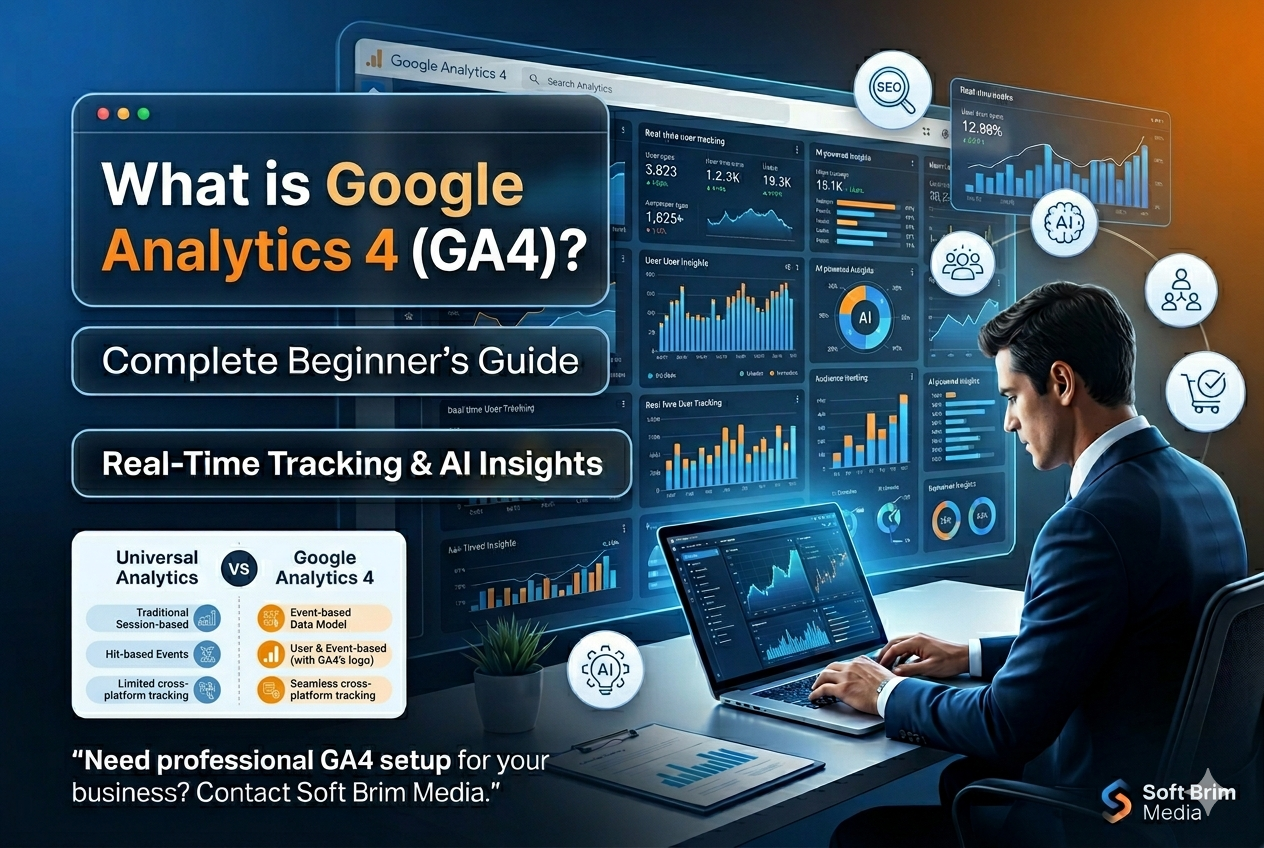
At its core, Google Analytics 4 (GA4) is the latest version of Google’s web analytics service. Unlike its predecessor, which focused heavily on “sessions” and “pageviews,” GA4 is built around Event-Based Tracking.
How It Works
In GA4, every interaction a user has with your website or app is treated as an “event.” This includes clicking a button, watching a video, scrolling down a page, or completing a purchase. By shifting the focus to events, GA4 provides a more granular and flexible view of the customer journey across multiple platforms.
The Event-Based Tracking System
Instead of wondering if a user visited a page multiple times in one session, GA4 asks: What did the user actually do? This system allows for better data collection that isn’t restricted by traditional browser cookies, making it more resilient in a privacy-conscious world.
Difference Between Universal Analytics & GA4
If you’re used to the old Universal Analytics (UA) interface, GA4 might feel like a different world. Here is a breakdown of the key differences:
| Feature | Universal Analytics (UA) | Google Analytics 4 (GA4) |
| Tracking Model | Session-based (Uses Cookies) | Event-based (More flexible) |
| Interface | Familiar, category-based reports | Modern, modular, and customizable |
| Cross-Platform | Limited (Web only, mostly) | Seamless Web + App tracking |
| AI Features | Basic | Advanced AI & Predictive Analytics |
| Privacy | Reliant on third-party cookies | Privacy-focused & Cookieless tracking |
| Data Retention | Up to 50 months | 2 months (standard) or 14 months |
Why Google Launched GA4
The digital world has changed drastically since UA was launched in 2012. Google launched GA4 to address three main shifts:
Privacy-First Internet: With regulations like GDPR and CCPA, and the phasing out of third-party cookies, GA4 is designed to fill data gaps using machine learning.
The Multi-Device Journey: Modern customers might find you on Instagram via mobile, browse your site on a tablet, and finally buy on a desktop. GA4 tracks this “de-duplicated” journey accurately.
AI and Machine Learning Integration: GA4 was built with AI at its center to provide automated insights and predict future user behavior, such as churn probability.
Benefits of GA4 for Businesses
Transitioning to GA4 offers several strategic advantages:
Better Audience Insights: Understand exactly who your high-value customers are.
Improved Conversion Tracking: GA4 makes it easier to track complex actions that lead to revenue.
Enhanced Customer Journey Analysis: See the full path from the first click to the final sale.
Predictive Analytics: Use Google’s AI to identify users likely to purchase in the next 7 days.
Improved ROI Tracking: Better data means better-informed decisions on where to spend your marketing dollars.
Real-Time Data Tracking in GA4
One of the most exciting features for marketers is the Real-Time Report.
Live User Tracking: See how many people are on your site right now.
Traffic Monitoring: Identify which social media post or ad is currently driving traffic.
User Behavior: Watch events trigger in real-time as users navigate your site.
Campaign Monitoring: Instantly see if your new email blast is working.
AI-Powered Insights in GA4
GA4 isn’t just a recording tool; it’s an assistant.
Predictive Metrics: GA4 can predict Purchase Probability and Revenue Prediction based on historical data.
Automated Insights: The platform alerts you to significant trends or anomalies in your data (e.g., “Your traffic from New York spiked by 50%”).
Smart Audience Creation: Automatically build lists of users who are most likely to convert for your Google Ads campaigns.
How to Set Up GA4: A Beginner’s Guide
Setting up GA4 doesn’t have to be intimidating. Follow these steps:
Create a GA4 Property: Log into your Google Analytics account and click “Admin.” Select “Create Property” and follow the prompts.
Install the Tracking Code: Use the Google Tag (gtag.js) or Google Tag Manager to add the unique Measurement ID to your website’s
<head>section.Configure Events: While GA4 tracks many things automatically (like scrolls and outbound clicks), you should set up custom events for specific business goals.
Setup Conversions: Mark your most important events (like “form_submit” or “purchase”) as conversions to track success.
Link Google Ads & Search Console: Go to Admin > Product Links to integrate your other Google tools. This ensures your SEO and PPC data flow directly into GA4.
Common Mistakes to Avoid in GA4
Incorrect Tracking Setup: Many users forget to enable “Enhanced Measurement,” missing out on easy data.
Missing Conversions: If you don’t tell GA4 what a “win” looks like, it can’t help you optimize.
Not Filtering Internal Traffic: If you and your team visit your site daily, your data will be skewed. Filter your company’s IP address.
Ignoring Reports: Don’t just set it and forget it. Check your “Engagement” and “Monetization” reports weekly.
Why Businesses Need Professional GA4 Setup
While anyone can install the basic code, a professional GA4 setup ensures your data is clean and actionable. Experts help with:
Accurate Data Collection: Ensuring no double-counting or missed events.
Custom Dashboarding: Building reports that matter specifically to your business goals.
Marketing Optimization: Using data to lower your Cost Per Acquisition (CPA).
Frequently Asked Questions (FAQ)
1. Is Google Analytics 4 free?
Yes, GA4 is a free tool provided by Google for website and app owners.
2. Can I still use Universal Analytics?
No. Google officially sunsetted standard Universal Analytics properties in July 2023. You must use GA4 to collect new data.
3. What is an “event” in GA4?
An event is any user interaction, such as a page view, a button click, a file download, or a video play.
4. How long does it take for data to show in GA4?
While real-time data is instant, standard reports usually take 24–48 hours to fully process.
5. Do I need Google Tag Manager for GA4?
It’s not required, but highly recommended for easier management of custom events and tracking pixels.
Conclusion & Actionable Insights
Google Analytics 4 is the most powerful tool available for understanding your digital audience. By moving from a session-based model to an event-based one, it provides the depth of insight needed to compete in 2026 and beyond.
Your Action Plan:
Verify your GA4 property is active.
Review your “Events” to ensure your most important actions are being tracked.
Connect your Google Ads account to sync your data.
Need professional GA4 setup for your business? Contact Soft Brim Media for expert Google Analytics 4 setup, tracking, and digital marketing solutions.